> ## Documentation Index
> Fetch the complete documentation index at: https://docs.fintoc.com/llms.txt
> Use this file to discover all available pages before exploring further.

# Create a banking Link from the dashboard

Create a banking `Link` from [the dashboard](https://dashboard.fintoc.com/) to use in your application.

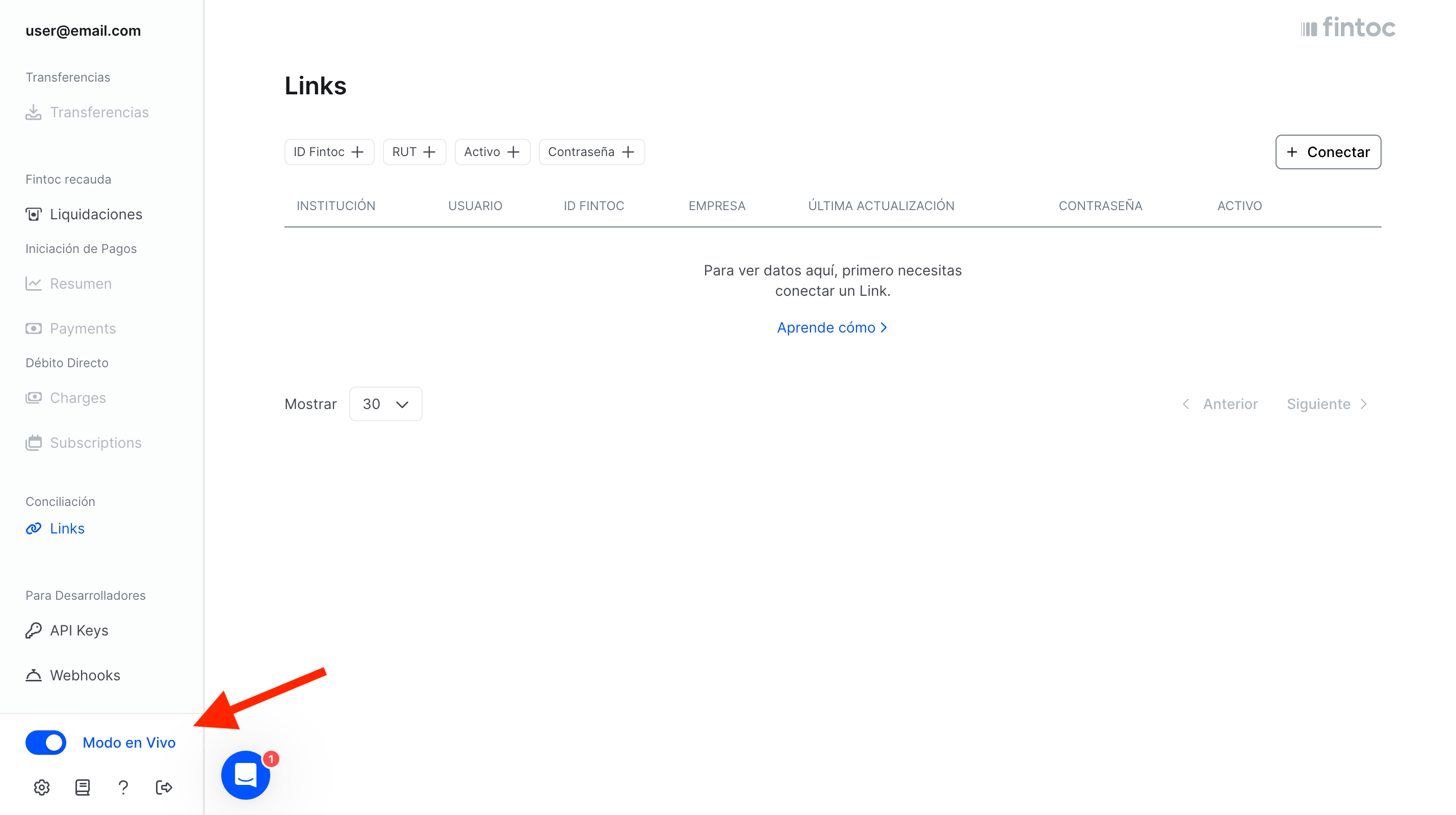
First, switch the dashboard to `live` mode:
<Frame>
  <img src="https://mintcdn.com/fintoc-49b8bee8/YQmOnq8Zegydl6oL/images/64f98f3c53ac101ca527912131899b01e669218acc7c2cefc11345b2bdf36455-Screenshot_2025-05-02_at_10.34.56_AM_copy_2.png?fit=max&auto=format&n=YQmOnq8Zegydl6oL&q=85&s=f73bc4b6808f21c181c8c81e9b4e1b1c" width="2856" height="1598" data-path="images/64f98f3c53ac101ca527912131899b01e669218acc7c2cefc11345b2bdf36455-Screenshot_2025-05-02_at_10.34.56_AM_copy_2.png" />
</Frame>

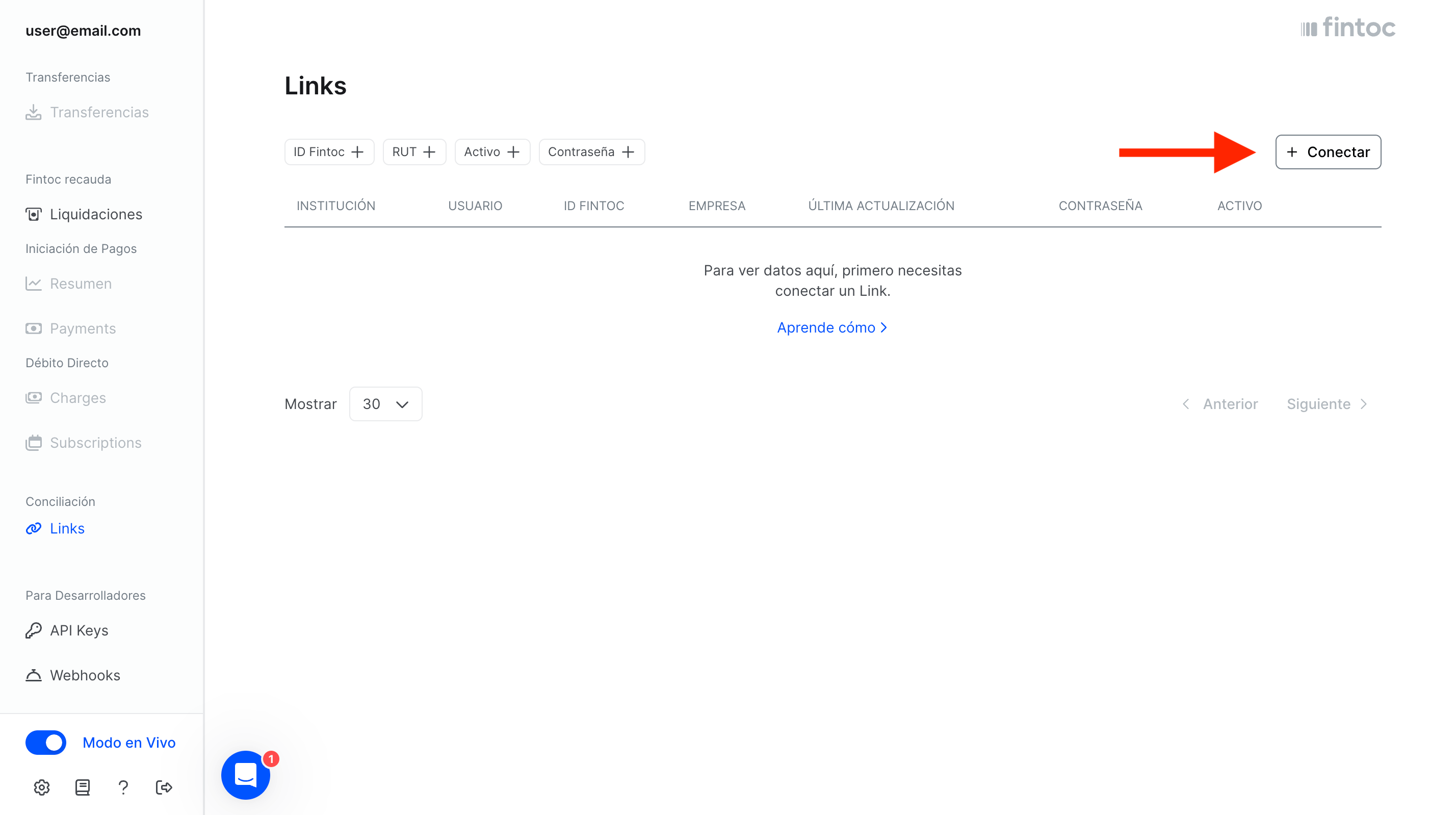
Select the option to create a `Link`. This example creates a personal `Link`, but the same steps apply to a business `Link`:
<Frame>
  <img src="https://mintcdn.com/fintoc-49b8bee8/YQmOnq8Zegydl6oL/images/a436316c430ba0215335577787850544c4f0b3daaecdd3cce306fa585a80a33e-Screenshot_2025-05-02_at_10.34.56_AM_copy.png?fit=max&auto=format&n=YQmOnq8Zegydl6oL&q=85&s=faaec50bf86caf447f30b5f10e2a6abf" width="2856" height="1598" data-path="images/a436316c430ba0215335577787850544c4f0b3daaecdd3cce306fa585a80a33e-Screenshot_2025-05-02_at_10.34.56_AM_copy.png" />
</Frame>

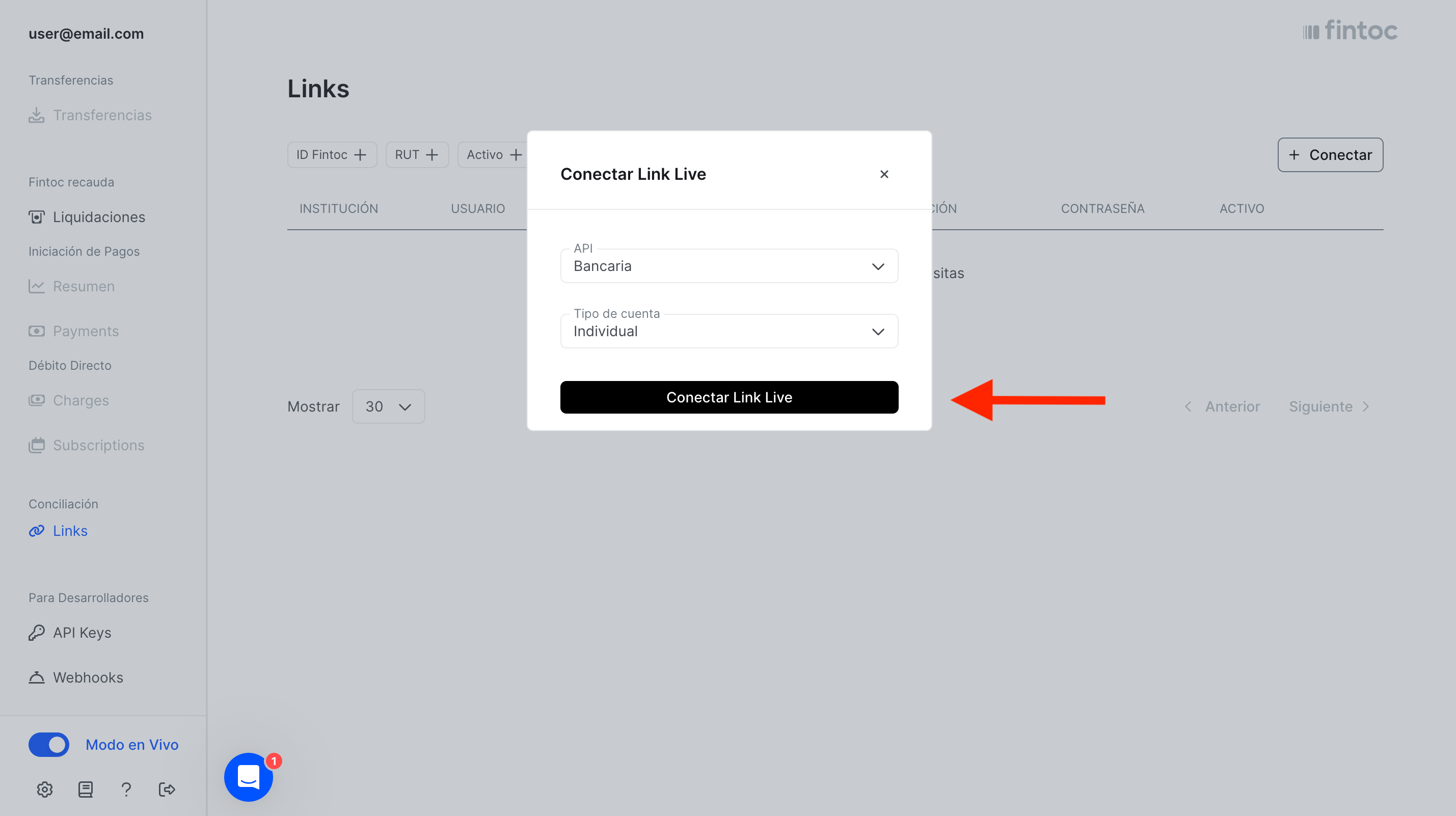
The dashboard opens a modal where you select the country and `Link` type. For this example, select Chile, Banking, and Individual. Then confirm your selections:
<Frame>
  <img src="https://mintcdn.com/fintoc-49b8bee8/SkvJJ-DZ5D4yC6tQ/images/f93a5321624d5c199c84597fac8c1b4545e7f72f10f565f2ba71592cc661f171-Screenshot_2025-05-02_at_10.36.43_AM.png?fit=max&auto=format&n=SkvJJ-DZ5D4yC6tQ&q=85&s=9347f317c15ad751a4f66d0d5f8aa1b7" width="2858" height="1602" data-path="images/f93a5321624d5c199c84597fac8c1b4545e7f72f10f565f2ba71592cc661f171-Screenshot_2025-05-02_at_10.36.43_AM.png" />
</Frame>

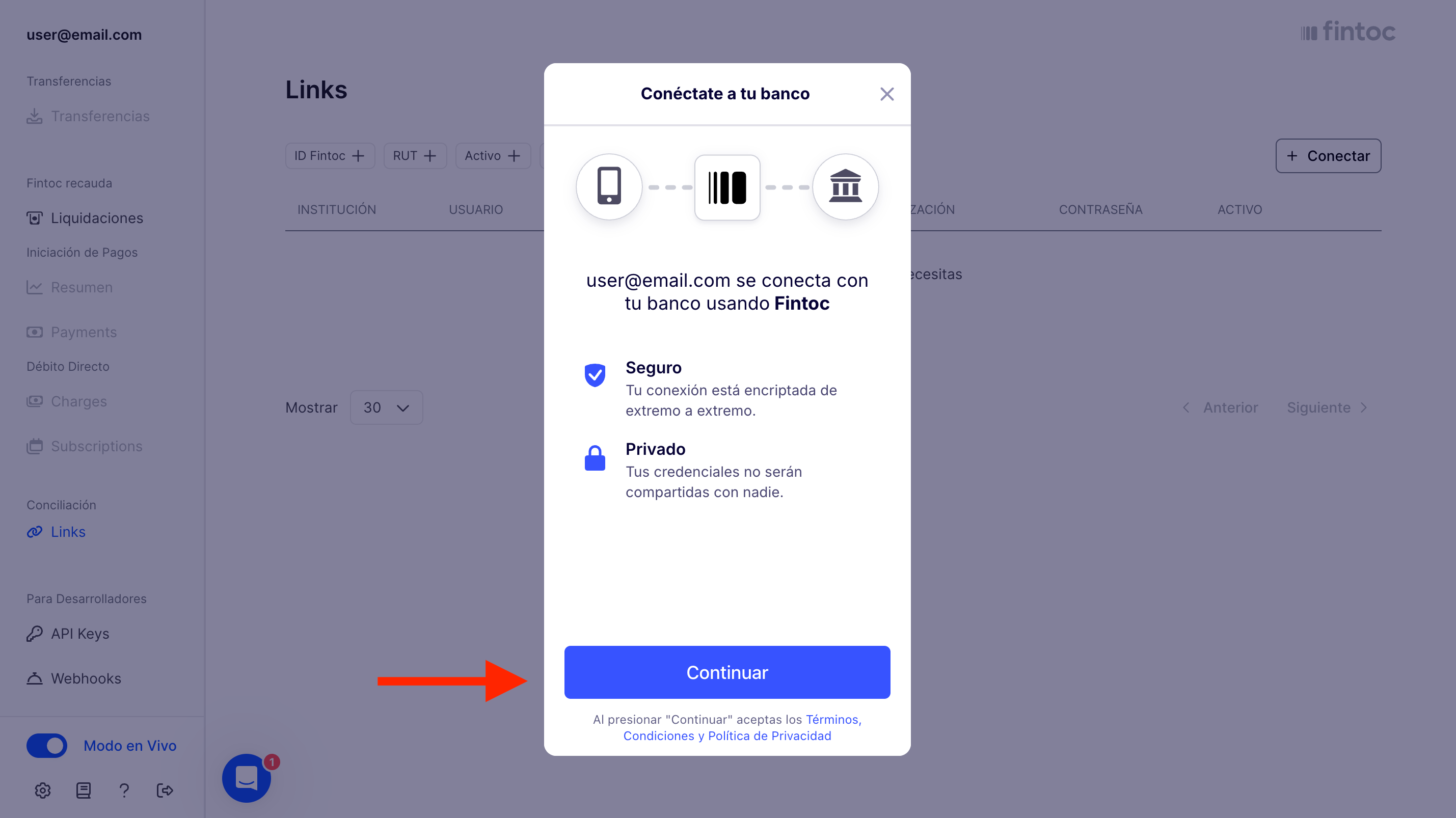
The Fintoc widget opens. Select **Continue**:
<Frame>
  <img src="https://mintcdn.com/fintoc-49b8bee8/SkvJJ-DZ5D4yC6tQ/images/da909b3b93b041ebcc80d14c39c8d92f05e5098193a7590d4827f7bb3f78b6c8-Screenshot_2025-05-02_at_10.37.49_AM.png?fit=max&auto=format&n=SkvJJ-DZ5D4yC6tQ&q=85&s=d95cc490afd6dab37320cc168f268fb4" width="2858" height="1606" data-path="images/da909b3b93b041ebcc80d14c39c8d92f05e5098193a7590d4827f7bb3f78b6c8-Screenshot_2025-05-02_at_10.37.49_AM.png" />
</Frame>

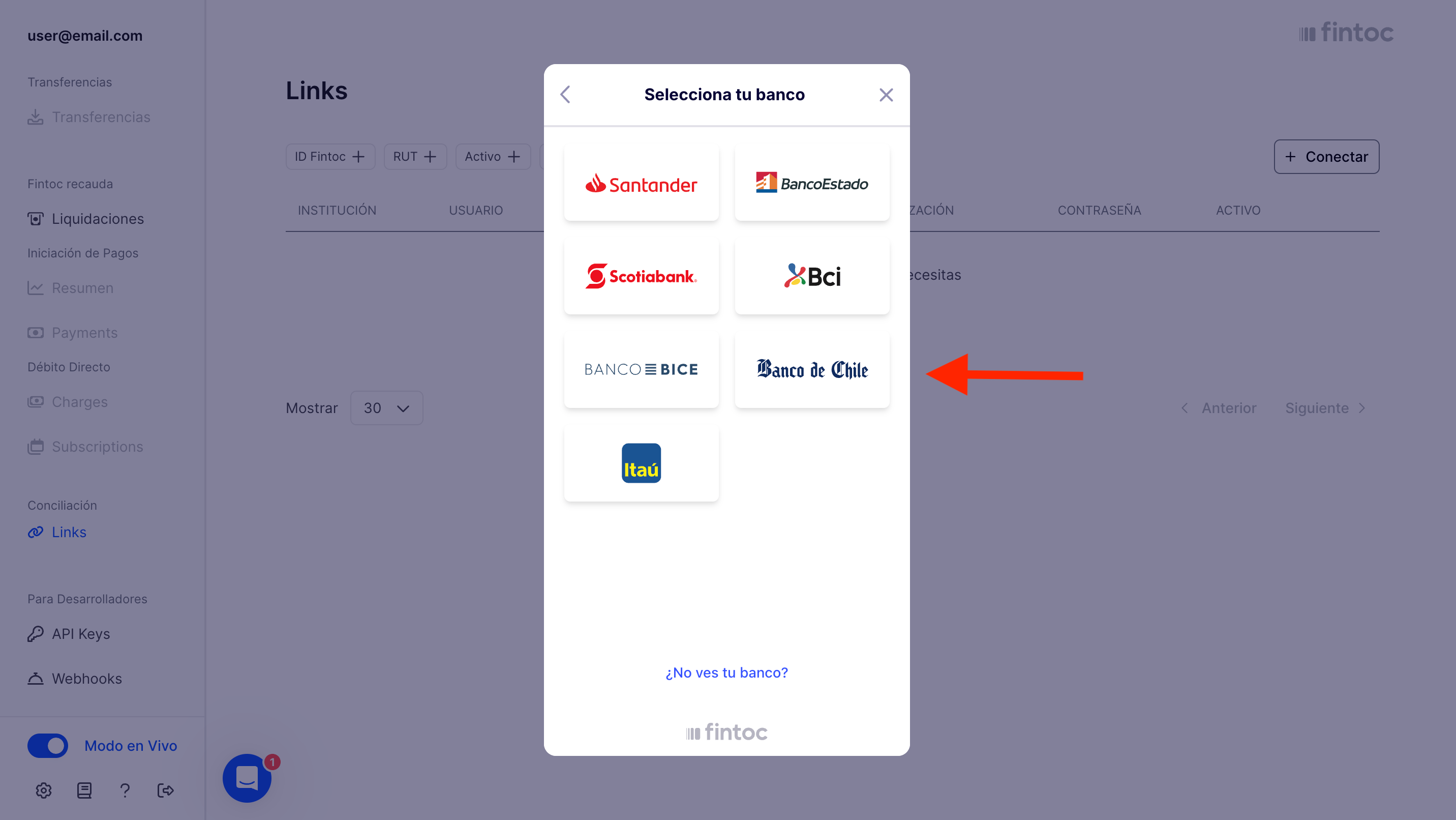
Select the bank that holds the account you want to associate with the `Link`:
<Frame>
  <img src="https://mintcdn.com/fintoc-49b8bee8/YQmOnq8Zegydl6oL/images/731a419ce5258ad02e4cbfc4bb33a6a833c27c1230e92c57caafa00ac70f0ffb-Screenshot_2025-05-02_at_10.38.02_AM.png?fit=max&auto=format&n=YQmOnq8Zegydl6oL&q=85&s=27e5cd1f96386f7d6577664a727e3cd0" width="2864" height="1612" data-path="images/731a419ce5258ad02e4cbfc4bb33a6a833c27c1230e92c57caafa00ac70f0ffb-Screenshot_2025-05-02_at_10.38.02_AM.png" />
</Frame>

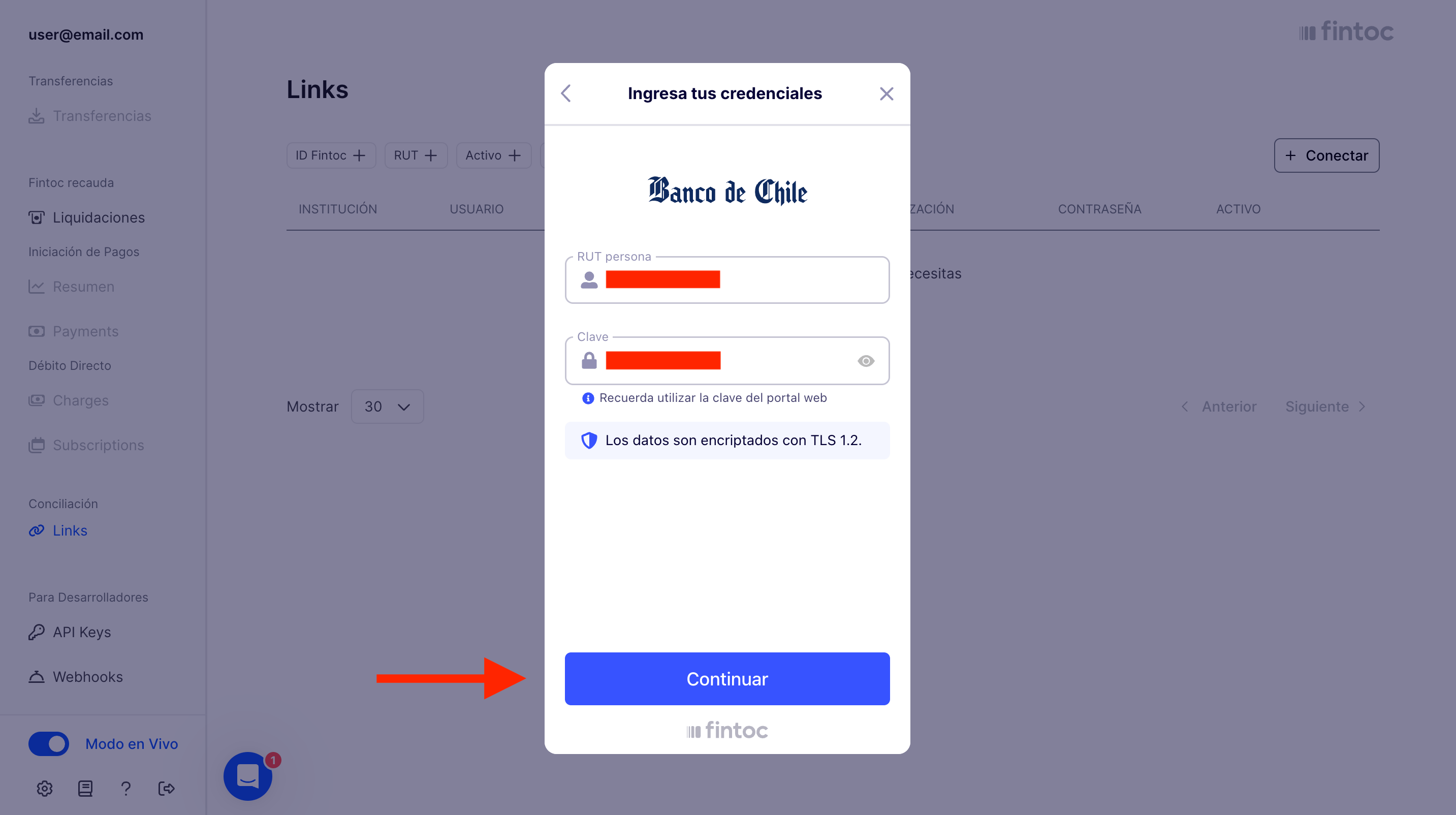
Enter your bank credentials, then select **Continue**:
<Frame>
  <img src="https://mintcdn.com/fintoc-49b8bee8/YQmOnq8Zegydl6oL/images/9ff50a1e48fd67344a5d7bffac980b063288cc7b7f613f4c5dc9866c29049a6a-Screenshot_2025-05-02_at_10.38.21_AM.png?fit=max&auto=format&n=YQmOnq8Zegydl6oL&q=85&s=c6cd3a49a000eee421cffb3a4cb493ef" width="2866" height="1604" data-path="images/9ff50a1e48fd67344a5d7bffac980b063288cc7b7f613f4c5dc9866c29049a6a-Screenshot_2025-05-02_at_10.38.21_AM.png" />
</Frame>

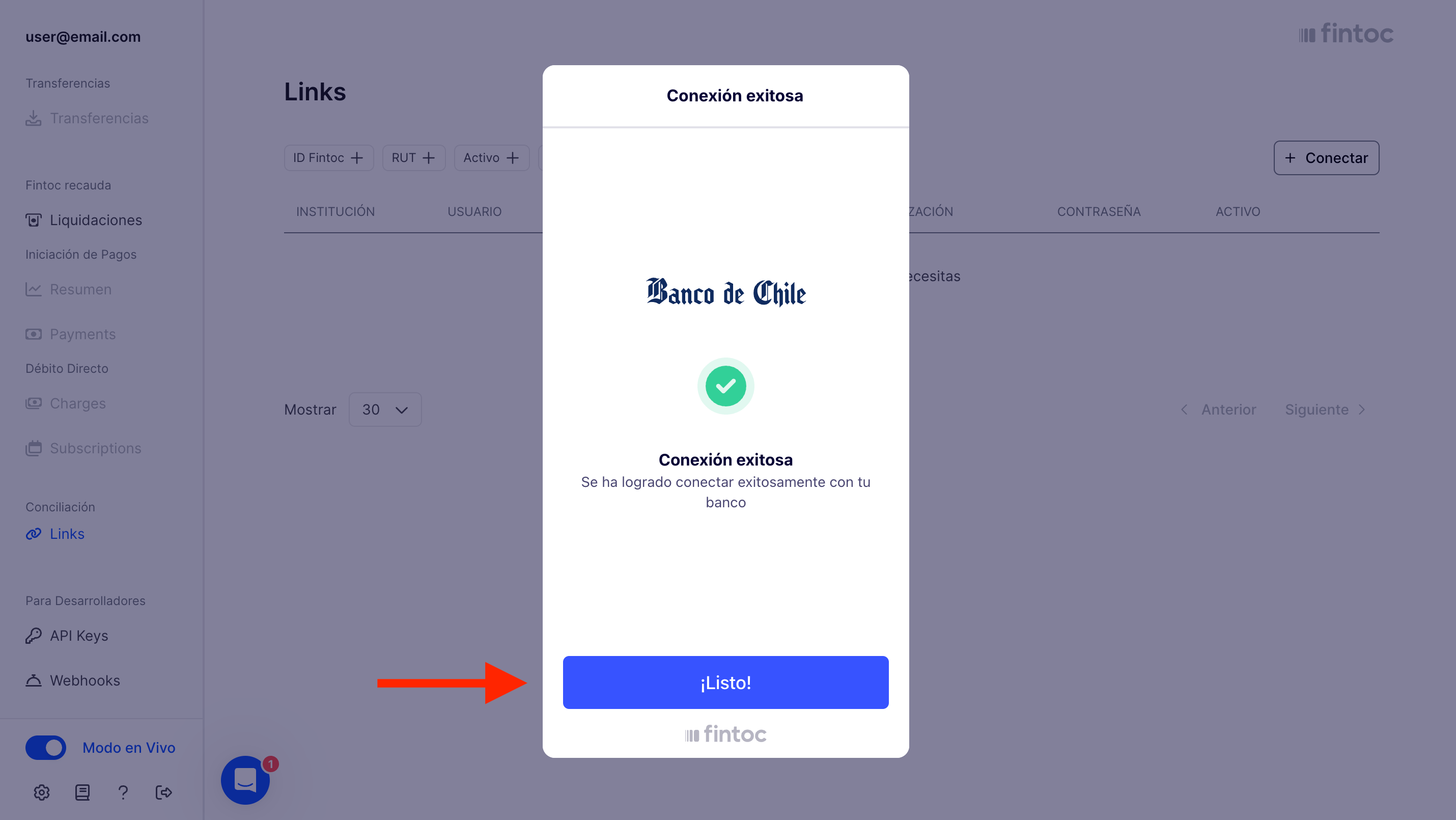
Fintoc creates and connects the `Link`, then displays a confirmation screen. Select **Finish**:
<Frame>
  <img src="https://mintcdn.com/fintoc-49b8bee8/SkvJJ-DZ5D4yC6tQ/images/fe83b0fb5ab557e5bf4e1ca12d3ab980885f19e497e60d0cc7d74d88bcd597dc-Screenshot_2025-05-02_at_10.38.44_AM.png?fit=max&auto=format&n=SkvJJ-DZ5D4yC6tQ&q=85&s=2fa6ed21971e2cdef8baf51fbe5e16c5" width="2860" height="1610" data-path="images/fe83b0fb5ab557e5bf4e1ca12d3ab980885f19e497e60d0cc7d74d88bcd597dc-Screenshot_2025-05-02_at_10.38.44_AM.png" />
</Frame>

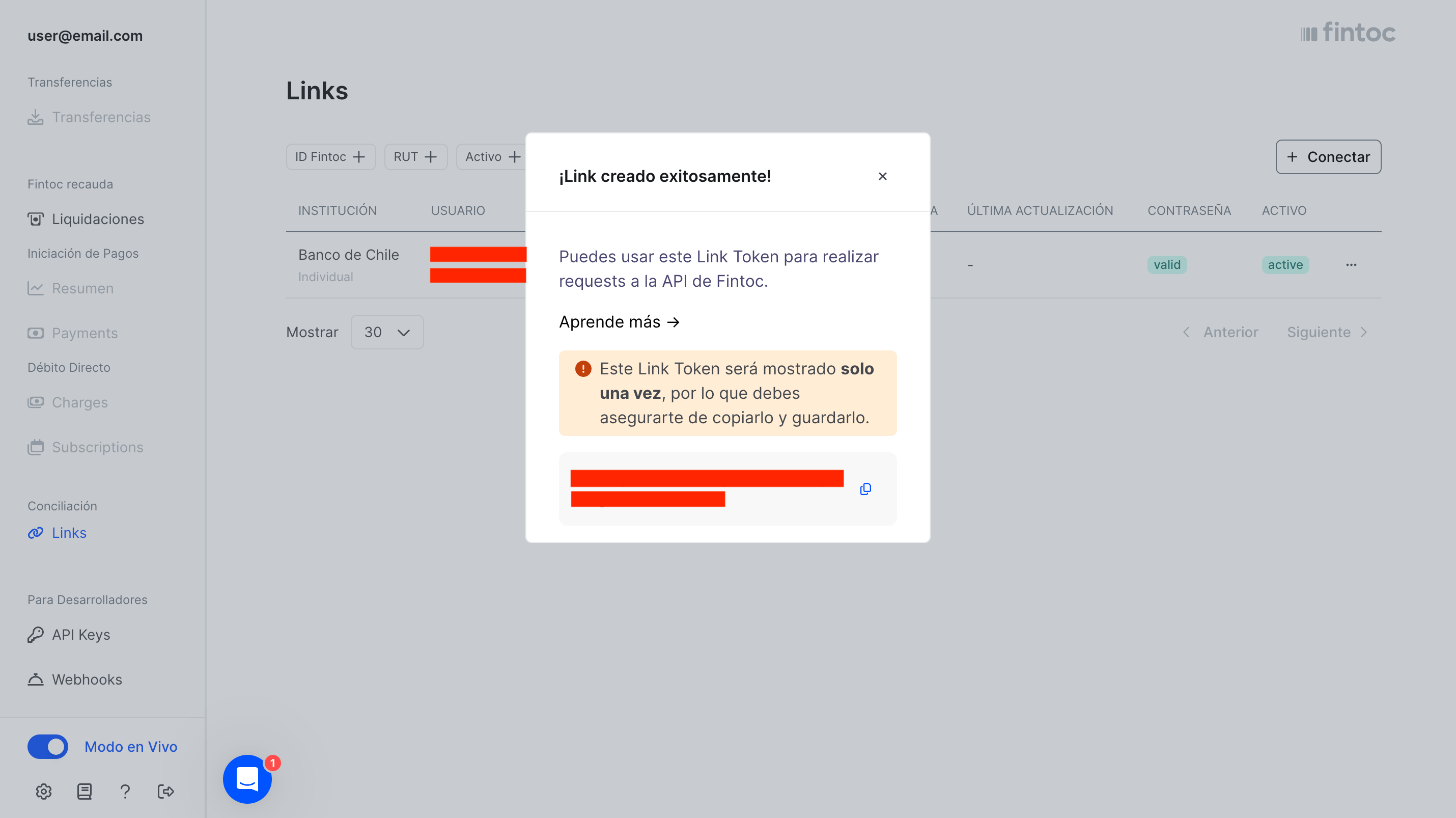
The dashboard displays the Link Token in a modal:
<Frame>
  <img src="https://mintcdn.com/fintoc-49b8bee8/YQmOnq8Zegydl6oL/images/2eaaea9d9b71cab9e2c568c556def24626822ae8bf2e2b0871993ed2adf798e3-Screenshot_2025-05-02_at_10.38.59_AM.png?fit=max&auto=format&n=YQmOnq8Zegydl6oL&q=85&s=088effce7f329633d6f80aac8a2973d1" width="2860" height="1606" data-path="images/2eaaea9d9b71cab9e2c568c556def24626822ae8bf2e2b0871993ed2adf798e3-Screenshot_2025-05-02_at_10.38.59_AM.png" />
</Frame>

Copy the Link Token and store it securely. The Link Token represents your bank credentials and lets you request banking data through Fintoc. Fintoc does not store the Link Token, so you cannot retrieve it after closing the modal.
