

Only available in Mexico
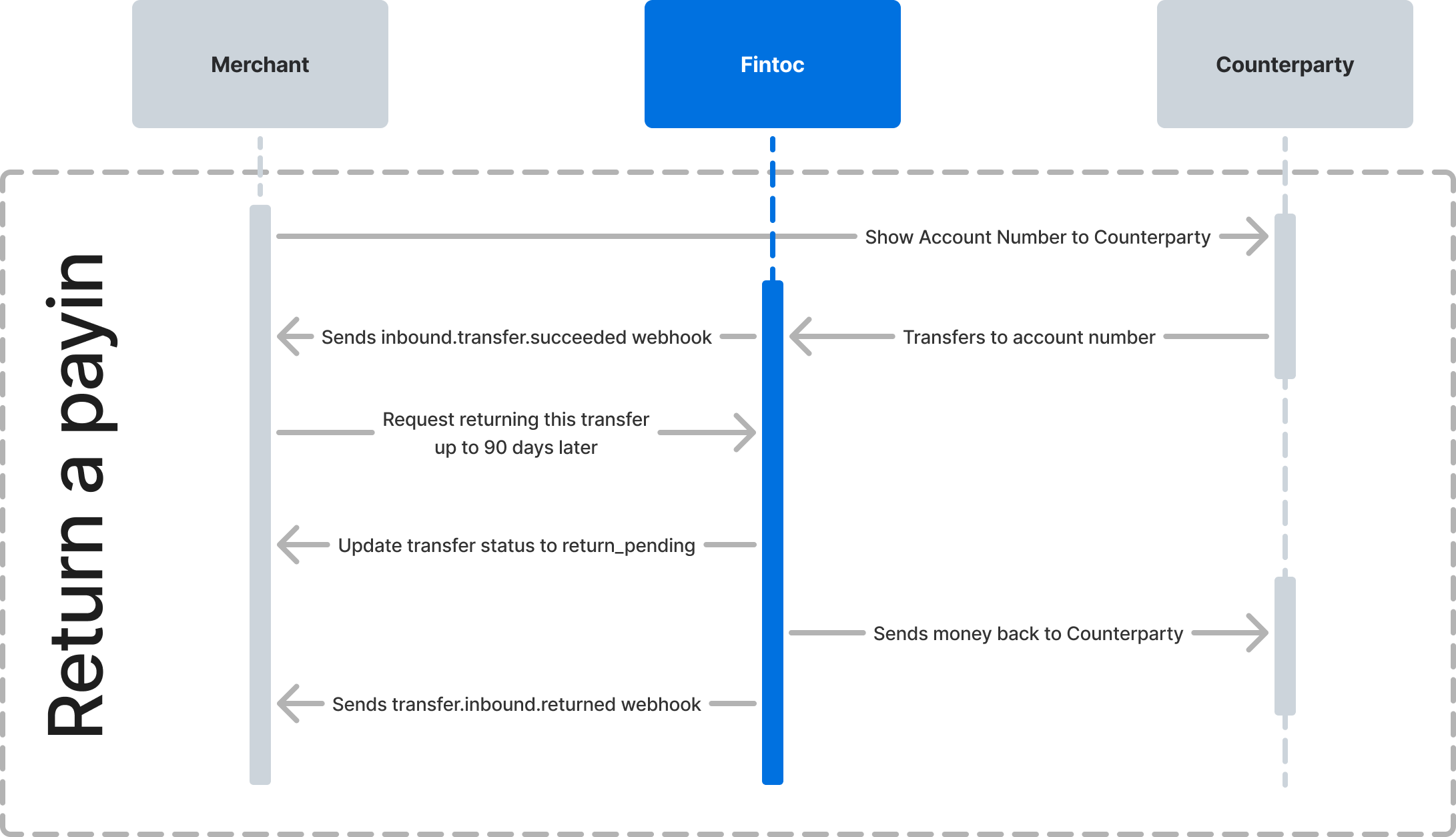
Trigger the return
Call the return transfer endpoint with thetransfer_id and Fintoc-JWS-Signature header. The header contains a JSON Web Signature (JWS) for the request:
curl
Node
Python
Response
status set to return_pending. After Fintoc processes the return, status changes to returned.
Handle the return result
Handle the following webhook events to track the outcome of a return:Test the integration
Confirm your integration intest mode before going live. Trigger a return for a simulated inbound transfer and check that your webhook handler receives the expected event:
- For a successful return, expect the
transfer.inbound.returnedevent and a transfer withstatusset toreturned. - For a failed return, expect the
transfer.inbound.return_failedevent and a transfer withstatusset tosucceeded.