

🇲🇽 Inbound transfers in Mexico
Receive and reconcile inbound transfers through Fintoc’s Transfers API. Complete the setup guide before following these steps:- Find or create an
AccountNumberusing your Secret key. This object represents a standardized Mexican bank account number (CLABE) for the Interbank Electronic Payment System (SPEI). When you sign in to the dashboard, you start with one Default Account Number. - Create a
WebhookEndpointto handle inbound transfer events. - Receive a transfer at the
AccountNumberand get notified in real time.
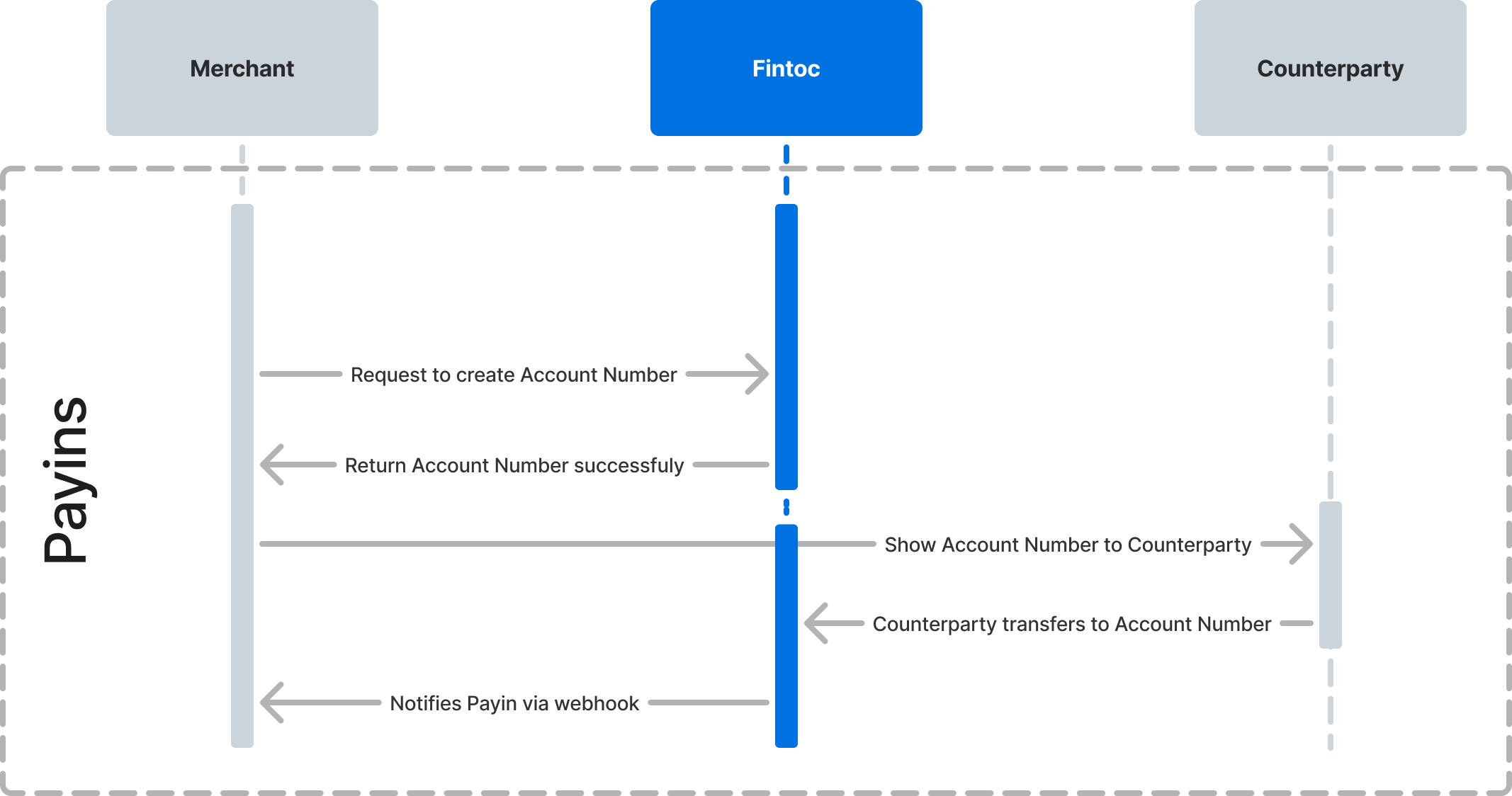
Step 1: Create an account number (SPEI CLABE)
AnAccountNumber represents a SPEI CLABE. Assign an account number to a customer or order to reconcile inbound transfers with your records. For example, you can assign one account number to each customer to identify which customer sent a transfer. To learn more about account numbers, see the data model.
Attach metadata to your account number
When you create an account number, attach key-value data throughmetadata. For example, store your internal customer ID to associate the account number with a customer. Fintoc includes the metadata in each inbound transfer so you can reconcile the transfer with your records.
Example
Use your test Secret Key and Account ID to create anAccountNumber from your backend. Attach the internal customer ID as id_cliente:
Use an SDK
Use the Fintoc Python or Node SDK to create the account number:Python
Node
Step 2: Create a webhook endpoint to handle inbound transfer events
When you receive an inbound transfer, Fintoc sends atransfer.inbound.succeeded event. Follow the webhook guide to create a webhook endpoint that receives and processes these events.
The transfer.inbound.succeeded event looks like this:
json
Step 3: Receive a transfer at your account number
After you create an account number and webhook endpoint, send a transfer to the account number. Use the resulting webhook event to reconcile the payment. To test this flow intest mode, use the /simulate/receive_transfer endpoint to simulate an inbound transfer. The simulation follows the same flow as a real transfer to the specified account number. See the test guide for simulation instructions.
🇨🇱 Inbound transfers in Chile
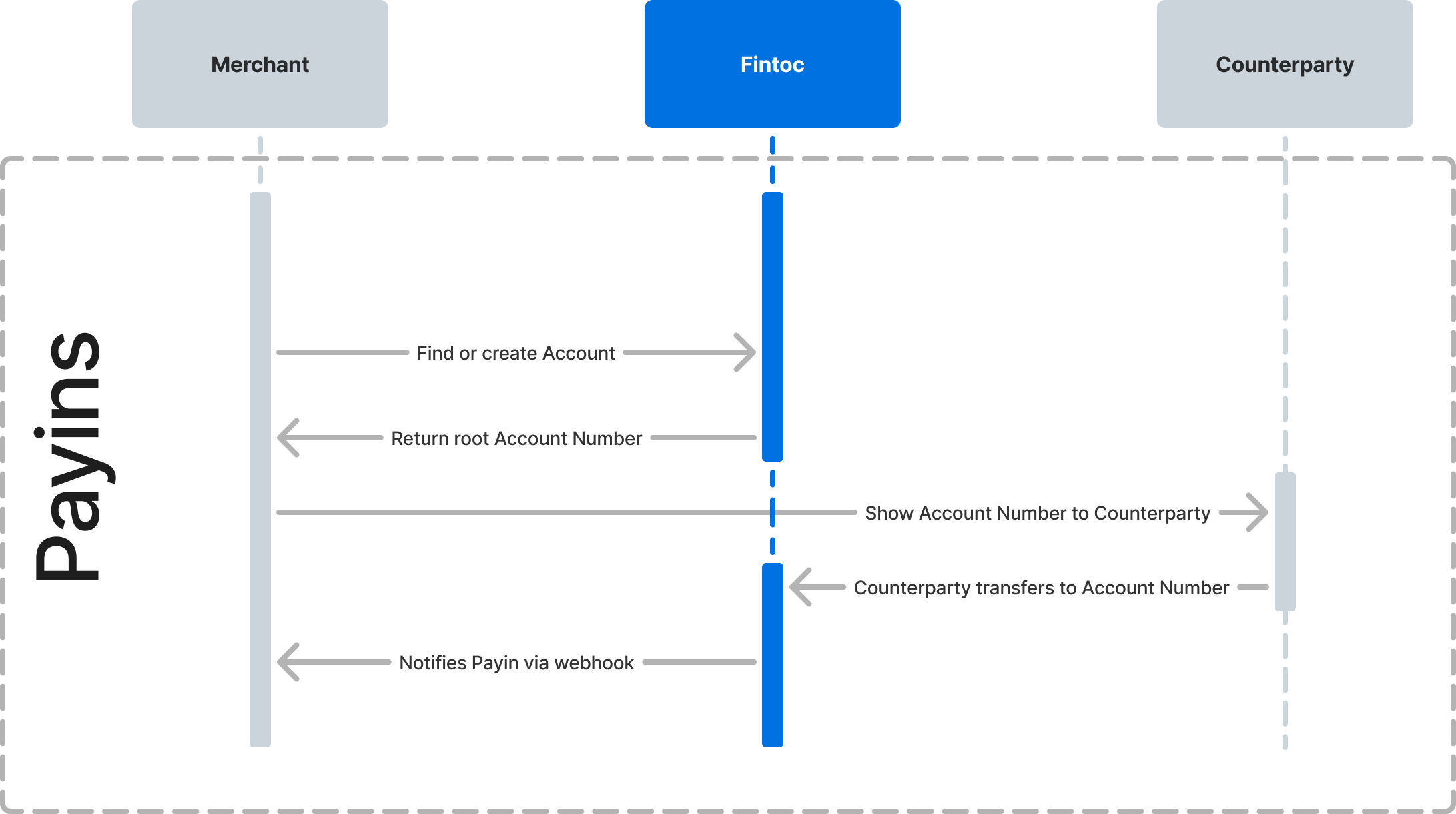
Receive and reconcile inbound transfers through Fintoc’s Transfers API. Complete the setup guide before following these steps:- Create a
WebhookEndpointto handle inbound transfer events. - Receive a transfer in your
Accountand get notified in real time.
Step 1: Create a webhook endpoint to handle inbound transfer events
When you receive an inbound transfer, Fintoc sends atransfer.inbound.succeeded event. Follow the webhook guide to create a webhook endpoint that receives and processes these events.
The transfer.inbound.succeeded event looks like this:
json
Step 2: Receive a transfer at your account number
After you identify yourAccount and its root_account_number, add a webhook endpoint for notifications. Send a transfer to the account number, then use the resulting webhook event to reconcile the payment.
To test this flow in test mode, use the /simulate/receive_transfer endpoint to simulate an inbound transfer. The simulation follows the same flow as a real transfer to the specified account number. See the test guide for simulation instructions.