Get Account Statements

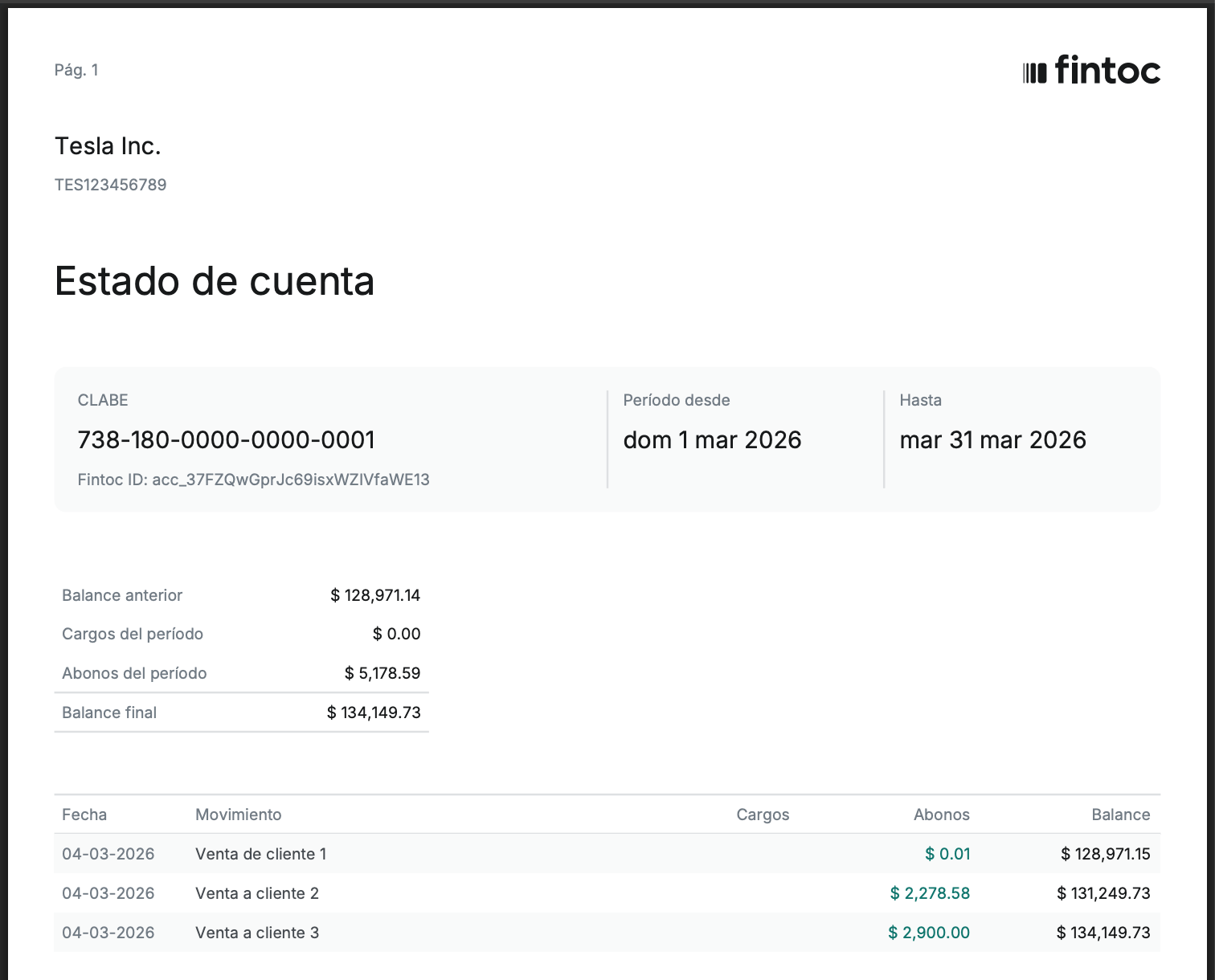
An Account Statement is a monthly PDF document that summarizes all movements for a given account during a specific period. Statements are generated automatically for every active account and comply with local regulatory requirements.

You can list and download statements through the API or from the Dashboard.

Statements are generated automatically at the beginning of each month for the previous period. No action is required on your end.

Get the list of Account Statements

Using the account_id, call the List Account Statements endpoint. You can get a list of all the Account Statements for the Account or you can filter for Account Statements from specific time periods

cURL

curl --request GET \
     --url 'https://api.fintoc.com/v2/accounts/acc_3AOIA4Hz09oHLeksYr9pYpBk3NS/account_statements?since=2026-03-01&until=2026-03-31' \
     --header 'Authorization: sk_test_14ucwLs17VyE5XKFxMb3x8sHwPeSrGVh6hvVayzoi8Q' \
     --header 'accept: application/json'

Using the SDK

# List all account statements
statements = client.v2.accounts.account_statements.list(
    account_id="acc_xxxxx"
)

# Get a specific month's statement (e.g. March 2026)
statements = client.v2.accounts.account_statements.list(
    account_id="acc_xxxxx",
    since="2026-03-01",
    until="2026-03-31",
)
// List all account statements
const statements = await client.v2.accounts.accountStatements.list({
  account_id: "acc_xxxxx",
});

// Get a specific month's statement (e.g. March 2026)
const marchStatements = await client.v2.accounts.accountStatements.list({
  account_id: "acc_xxxxx",
  since: "2026-03-01",
  until: "2026-03-31",
});
# Get the account first
account = client.v2.accounts.get("acc_xxxxx")

# List all account statements
statements = account.account_statements.list

# Get a specific month's statement (e.g. March 2026)
statements = account.account_statements.list(
  since: "2026-03-01",
  until: "2026-03-31"
)

Download the PDFs

The download_url field contains a signed URL. Make a GET request to that URL to download the PDF file directly. The URL expires after a short time — if it has expired, list the statements again to get a fresh URL.

You will get a statement similar to this: