

Transfer object represents money sent or received through Fintoc to or from your account numbers. It includes transfer details, the external counterparty, and the internal account number.
Transfer counterparty
EachTransfer includes a nested Counterparty object. The counterparty represents the sender for an inbound transfer or the recipient for an outbound transfer.
The Counterparty object includes:
- The counterparty’s name, such as a customer, supplier, or partner.
- Bank account details, such as the account number and bank code.
- For inbound transfers, the counterparty is the sender that initiates the transfer to your account number.
- For outbound transfers, the counterparty is the recipient that receives funds from your account.
Counterparty structure provides a consistent way to view and reconcile transfers that are internal or external to the Fintoc API.
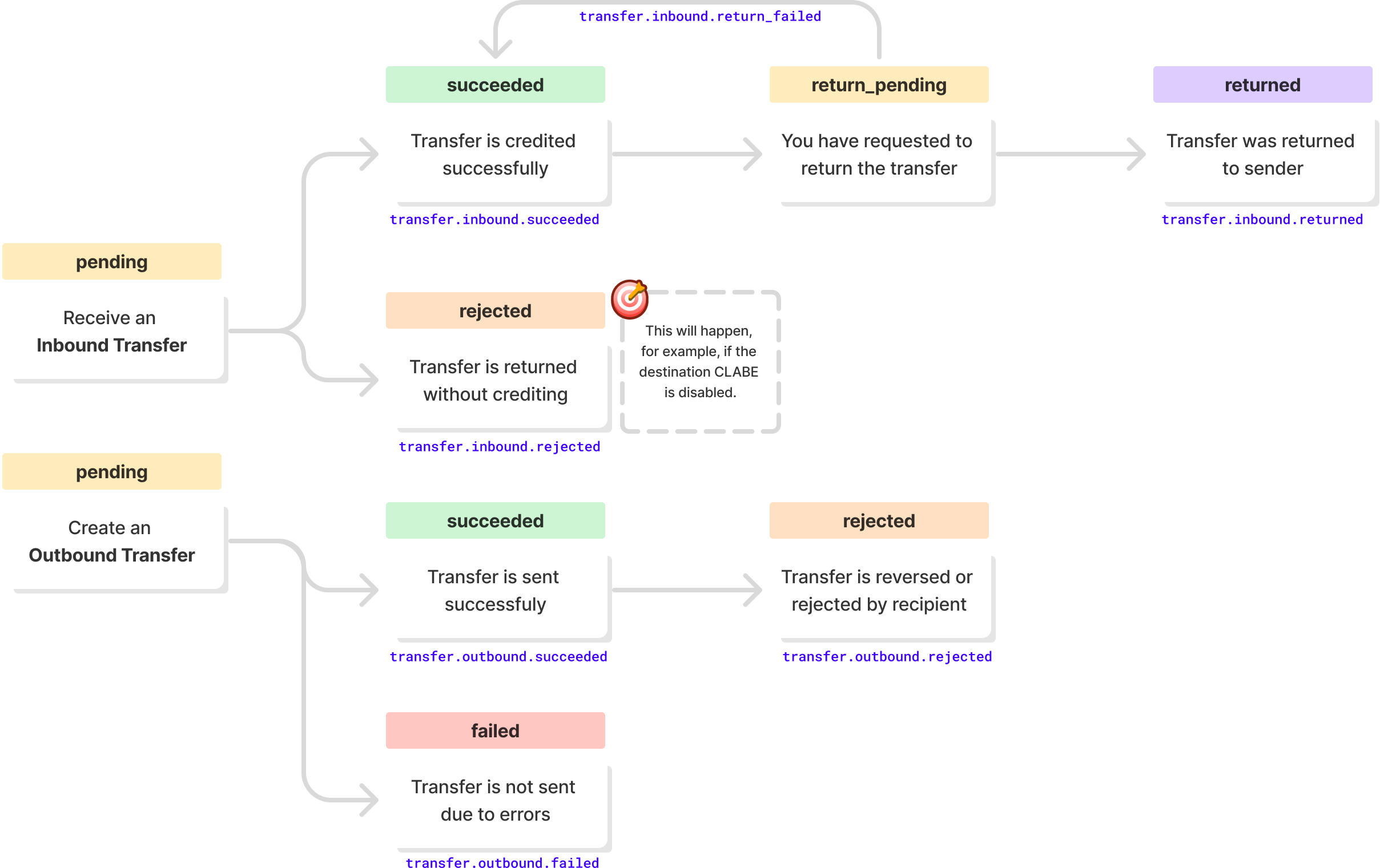
Transfer statuses and webhook notifications
Transfer limits
Transfer limits depend on the country:| Limit | 🇲🇽 Mexico | 🇨🇱 Chile |
|---|---|---|
| Maximum number of transfers per day | No limit | No limit |
| Maximum amount per transfer | No limit | $7.000.000 CLP |
Transfer returns
🇲🇽 Mexico
In Mexico, you can request the return of an inbound transfer that you do not recognize or that does not meet your business’s acceptance criteria. After a return,status changes to returned, and the amount is deducted from your account balance.
🇨🇱 Chile
In Chile, a rejection by the Centro de Compensación Automatizado (CCA) can reverse inbound and outbound transfers. After a reversal,status changes to returned, and the funds return to your account balance.