

- Use your secret key to create an Account Number.
- Create a webhook endpoint to handle inbound transfer events.
- Receive a transfer at the Account Number and handle the webhook notification.
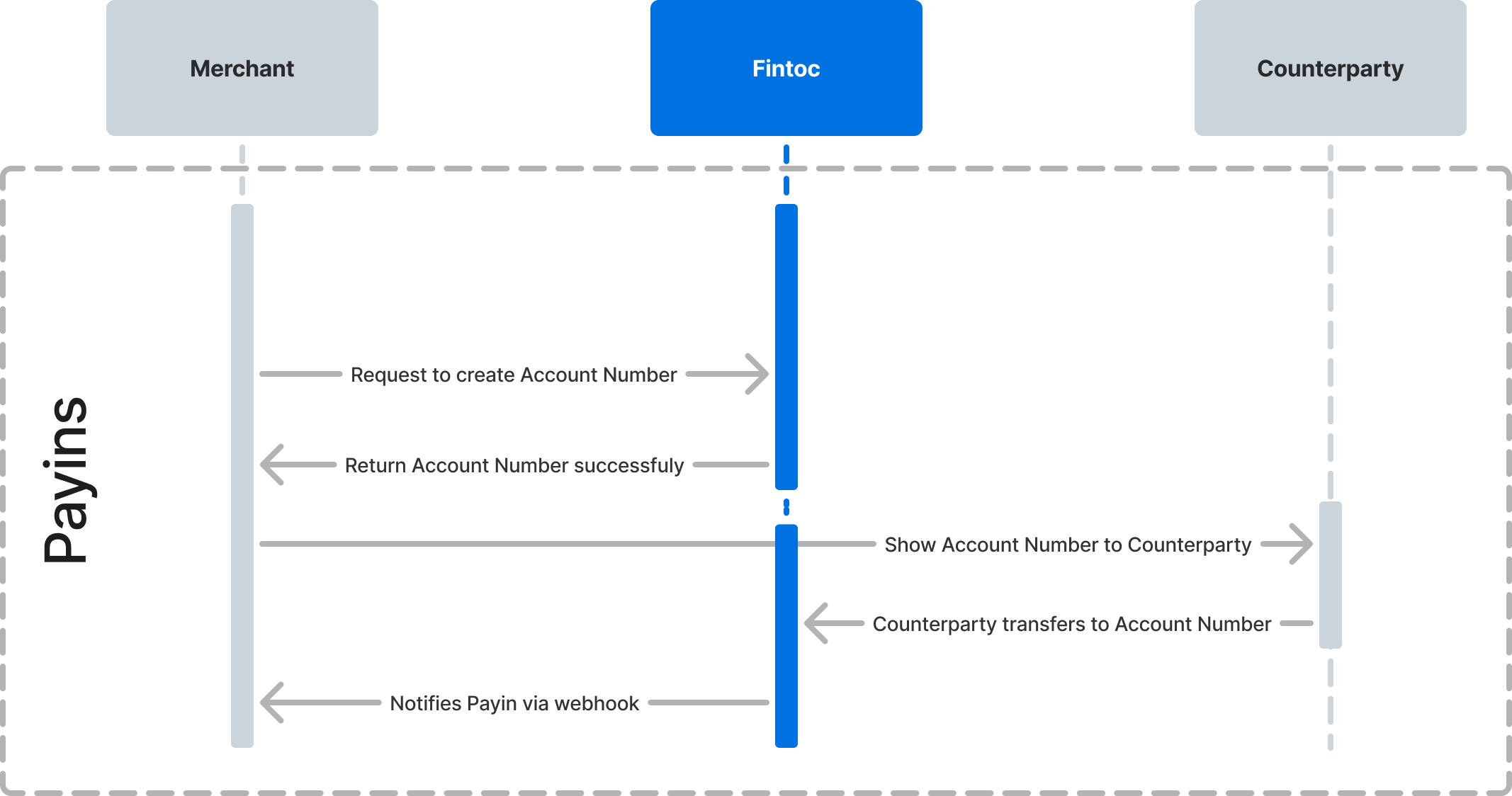
Step 1: Create an Account Number
An Account Number is the string of digits a sender uses to pay you. Fintoc generates the digits for you in both countries:- In Mexico, an Account Number is a standardized Mexican bank account number (CLABE). Senders reach it over the Sistema de Pagos Electrónicos Interbancarios rail.
- In Chile, an Account Number is a bank account number on your Cuenta con Provisión de Fondos (CPF). Senders reach it over the Centro de Compensación Automatizado rail and select Fintoc as the destination institution.
Attach arbitrary key-value data to your Account Number
When you create an Account Number, attach arbitrary key-value data to themetadata object. Use metadata to store a unique identifier, such as your internal customer ID. Fintoc includes the metadata object with each inbound transfer so you can reconcile the transfer against your internal records.
Example
Using your test secret key and your account ID, create anAccountNumber from your backend, attaching an internal customer ID id_cliente:
Inbound amount limits are available in Mexico only
options.min_amount and options.max_amount reject transfers outside a range. Fintoc applies these limits to Mexican Account Numbers. See Add logic to Account Numbers.Step 2: Create a webhook endpoint to handle inbound transfer events
Fintoc sends atransfer.inbound.succeeded event whenever you receive an inbound transfer. Follow the webhook guide to create an endpoint that receives these events and runs actions.
The event carries the same structure in both countries. The counterparty block and the fields the local rail fills in differ:
reference_id, tracking_key, and a receipt_url that points to the Comprobante Electrónico de Pago. In Chile, those three fields are null, and counterparty.holder_id carries the sender’s Chilean tax ID (RUT).
Step 3: Receive a transfer at the Account Number
After you create an Account Number and add a webhook endpoint, you can receive transfers and reconcile your payments.Test the integration
Intest mode, use the /v2/simulate/receive_transfer endpoint to simulate an inbound transfer. The simulated transfer behaves like a real transfer sent to the same Account Number. Pass your test secret key and the account_number_id you created. Also pass an amount in the smallest currency unit and an uppercase ISO 4217 currency code:
currency to CLP and describe the sender with these optional parameters:
The endpoint settles the transfer and delivers a
transfer.inbound.succeeded event to your webhook endpoint. The event contains the payload shown in Step 2. Receiving the transfer.inbound.succeeded event confirms your integration is working. For the full set of test values, see Test your integration.