

List account statements
Call the List account statements endpoint withaccount_id. You can list all statements for the account or filter the statements by time period.
Download the PDF
Thedownload_url field contains a signed URL. Make a GET request to the URL to download the PDF. If the URL has expired, list the account statements again to get a new URL.
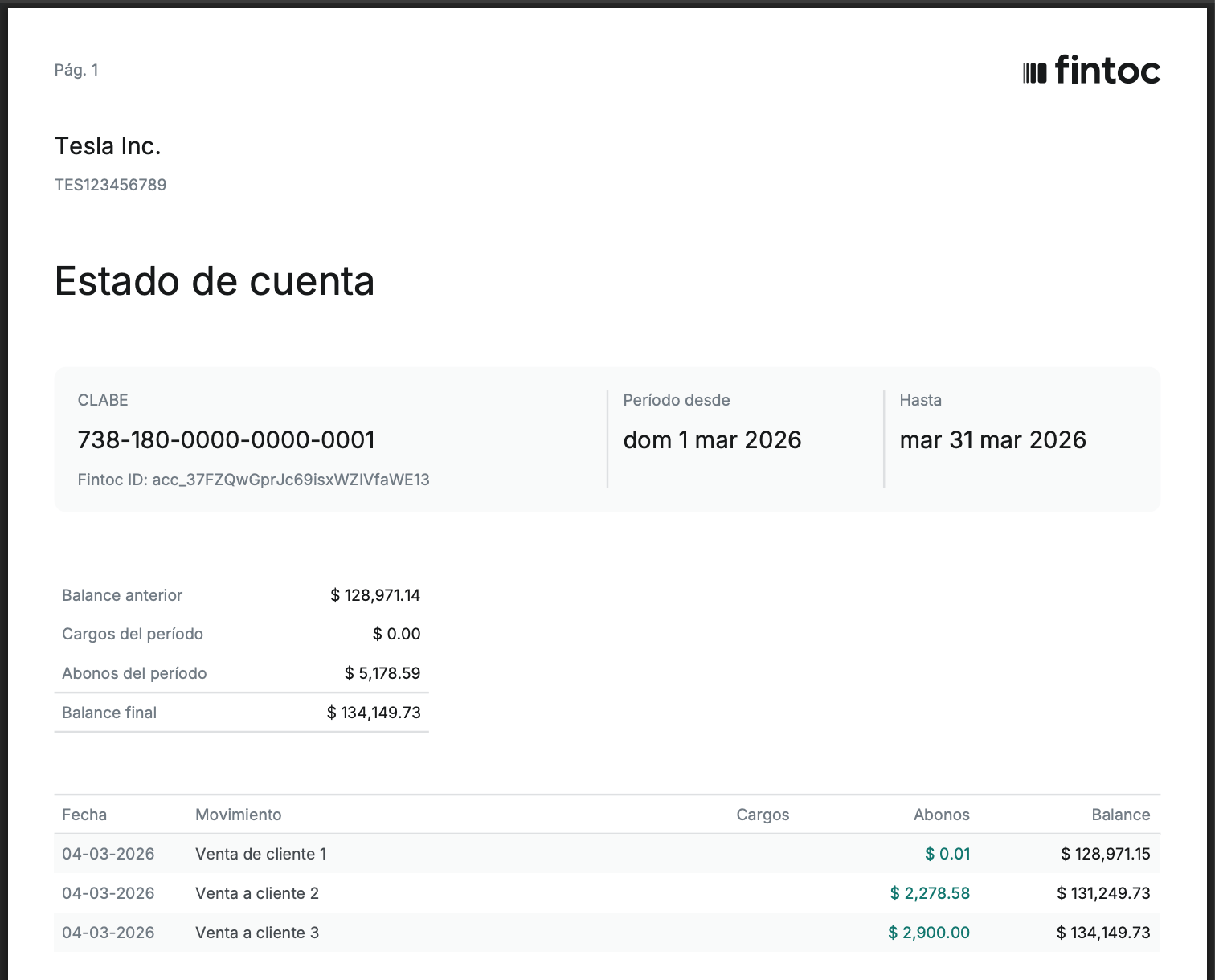
The downloaded statement looks like this:
Generate a provisional statement in the dashboard
A provisional statement is a PDF for a date range you choose, up to today. Use it when you need a statement before the monthly one is ready. You can only generate and download provisional statements in the dashboard. The List account statements endpoint returns monthly statements only.- In the dashboard, go to Accounts and open the Provisional account statements tab.
- Click Generate provisional account statement.
- In Account, choose the account.
- In Period, choose This month, Last 7 days, Today, Previous month, or Custom range. The period can be up to 31 days. It can’t end after today or start before the account was created.
- Click Generate provisional account statement.
- Chile: The dashboard downloads the PDF automatically.
- Mexico: Click Download in the notification. In
livemode, the dashboard asks for a one-time password (OTP), as for any account statement download.
- Chile: Movements with an accounting date up to today. Money you receive after 14:00 appears starting on the next business day.
- Mexico: Movements up to the moment you generate the statement.
Test the integration
Intest mode, list the account statements and open the download_url from any item in the response. The signed URL opens the account statement PDF in your browser. If the PDF opens, the integration works end to end.